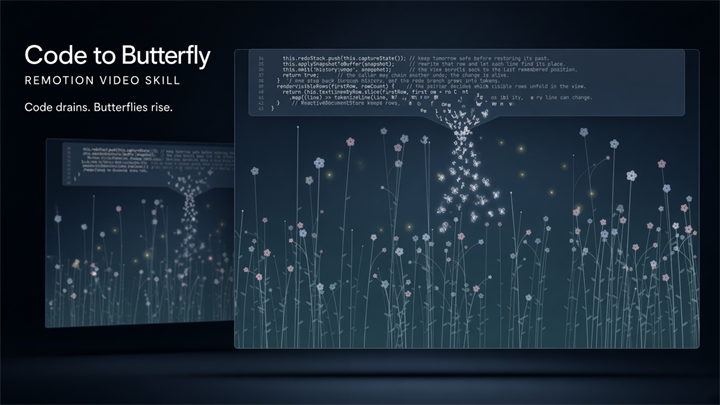
Brand Kit Video
Your brand tokens in, on-brand video prompts out: fonts, palette, layout and motion rules locked into every shot, so AI clips from any model cut together as one brand — not five stock videos.
Before you choose this pack
Delivery & requirements
- Your inputs
- Bring your audience, primary task, representative content and required brand assets. Follow any additional inputs in the pack instructions.
- Included files
- 5 entries in the extracted inventory. SKILL.md is present. See the file list below for recorded contents.
- Listed environment
- Stack: Veo · Kling · brand tokens. Listed agents: Claude, Cursor, Codex, Windsurf. This is catalog compatibility information; exact host and dependency versions are not independently verified here.
- Preview & output
- A video preview is available. It demonstrates an example; it does not establish which source or rendering files are included.
- Dependencies & costs
- A complete dependency and external-cost declaration has not been verified for this listing. Check the pack instructions for required tools, model/API access and any rendering charges before running it.
- Verification scope
- Inventory extracted 2026-11-24. Extraction records do not certify runtime behavior, responsive layouts, accessibility or deployment readiness.
Requirements from the pack
- Your brand tokens: 2–4 hex colors, 1–2 font names, one layout rule (e.g. safe-area margins), one motion rule (e.g. slow push-in only)
- One product photo and one selling point for the demo ad
- Access to any AI video model: Veo, Kling, Runway, or similar
Recorded examples: brand-tokens.md · cover.png · INSTALL.md · preview.mp4. The inventory identifies files; inspect their instructions for actual behavior.
Confirm commercial-use rights and refund conditions. For an example of a reviewable handover, see the interface repair case study.
About
AI video models don't know your brand. Give them a free prompt and they invent a new palette, a new typeface and a new mood in every clip — five shots, five different brands. This skill fixes that at the prompt level: it turns your brand kit (colors, fonts, layout grid, motion rules) into a locked token block that is repeated verbatim in every shot prompt, plus a per-shot compliance check so a clip that breaks the brand never ships.
The preview on this page is the skill's own storyboard animatic for a real product (Halmiva's 16-piece candle set, $23), built with Skillux's own brand tokens — ink #EDEBE4, lime #C8F169, dark #0E0F13, Noto Sans — so you can see the lock working: every frame obeys the same four tokens.
What you can do
- Turn a brand kit (palette, fonts, spacing, motion) into a reusable token block for Veo, Kling or Runway prompts
- Get a shot-by-shot prompt pack where the token block is identical in every shot — no drift between clips
- Check a finished clip against the kit: a 6-point compliance pass (palette, type, framing, motion, logo safe-area, end-card)
- Re-skin one ad for a second brand by swapping only the token block, keeping the shots
Who it’s for
- Designers and brand owners who need AI video that looks like their brand, not like a stock reel
- Shopify / DTC sellers whose ads, hero loops and product clips must match the storefront
- Marketers running the same campaign across Veo, Kling and Runway without visual drift
How to use it
- Give the agent your brand tokens and the product photo
- Ask: "Direct a 15-second brand-locked ad for this product"
- Review the token block first — if the palette is wrong here, it is wrong in every shot
- Generate shot by shot; run the 6-point compliance pass on each clip before assembling
- Keep the token block in a file and reuse it for every future video — the brand compounds
What’s in the pack
- brand-tokens.md · 1.9 KB
- cover.png · 1.4 MB
- INSTALL.md · 604 B
- preview.mp4 · 5.1 MB
- SKILL.md · 4.6 KB
Install Brand Kit Video (brand-kit-video) with the CLI, or download the zip and place it by hand.
Install with AI
Let your AI handle the setup.
Recommended. Authorizes this machine, then writes Brand Kit Video into your agent skills folders.
- 1 · Login
npx skillux loginOpens the browser to authorize this machine.
- 2 · Install
npx skillux add brand-kit-videoWrites the pack into your agent skills folders.
- 3 · Update
npx skillux updatePulls newer versions for packs you already installed.
Copy all three
npx skillux login
npx skillux add brand-kit-video
npx skillux updateUse npx skillux add brand-kit-video -p to install into the current project only. Credentials live in ~/.skillux/credentials.json.
No reviews yet. If you have used this pack, sign in below and be the first to share how it worked — every review here comes from a real Skillux account.
Used this pack?
Sign in to rate it and share how it worked for you. Reviews are tied to accounts, so what you see here always comes from real users.
Sign in to reviewMore in Video
Same site type first, then other packs from this author and the wider catalog.

Founder Story Script
By Maya Ellis
A product in, a founder-story script out: problem, turn, build, proof, belief, CTA — the story of what was made and why, written only from facts you can verify, never from an invented biography.
YouTube Long-Form Script
By Sam Rivera
A long video topic in, a beat-mapped 8–12 minute script out: hook, promise, setup, build, proof, CTA — each beat timed, each transition written, so the edit has a map before a single minute is shot.