Build AI image generator, AI art platform, and text-to-image SaaS websites with a CreatixAI starter—prompt studio, sample gallery, plans, contact drafts, auth chrome, dashboard pages, and fully local assets.
49 downloadsv0.1 · 2026-11-03
Loading site preview…
Before you choose this pack
Delivery & requirements
Your inputs
Bring your audience, primary task, representative content and required brand assets. Follow any additional inputs in the pack instructions.
Included files
103 entries in the extracted inventory. SKILL.md is present. See the file list below for recorded contents.
Listed environment
Stack: not specified. Listed agents: Claude, Cursor, Codex. This is catalog compatibility information; exact host and dependency versions are not independently verified here.
Preview & output
A browsable site entry is recorded in the pack. It is a preview, not evidence of a connected backend or a successful production deployment.
Dependencies & costs
A complete dependency and external-cost declaration has not been verified for this listing. Check the pack instructions for required tools, model/API access and any rendering charges before running it.
Verification scope
Inventory extracted 2026-11-03. Extraction records do not certify runtime behavior, responsive layouts, accessibility or deployment readiness.
Recorded examples: SKILL.md · tokens.css · web-design-creatix.png. The inventory identifies files; inspect their instructions for actual behavior.
CreatixAI is a self-contained English AI image generator / creative AI art platform website skill. It ships a complete multi-page static starter—HTML, CSS, JS, local Sora fonts, icons, and sample imagery—so generation does not depend on an external template, CDN, marketplace preview, or another skill.
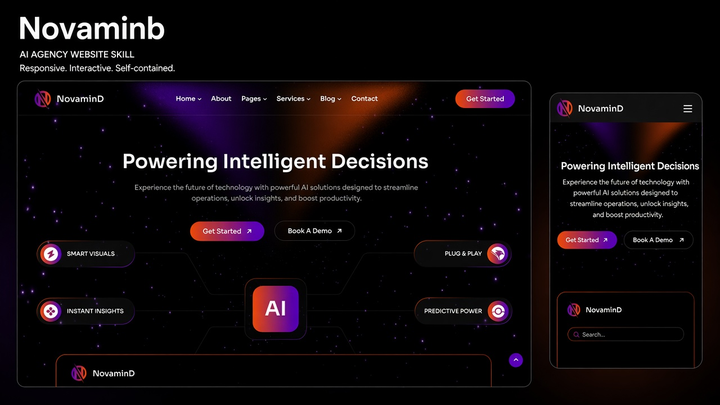
The design uses a deep navy canvas, cyan-to-gold gradient accents, a full-width prompt hero, generated-image gallery with detail modal, how-it-works steps, counters, testimonials, FAQ, plan and contact pages, plus account and dashboard surfaces. It is visually distinct from VoidCoreAI’s deep-blue company brochure and Novaminb’s agency starfield pack.
What you can do
Generate a ready-to-open English AI image generator or text-to-image SaaS marketing site from the bundled starter
Showcase a prompt box, style controls, sample gallery, pricing plans, FAQ accordion, and testimonials slider with local media
Capture contact, newsletter, auth, and dashboard forms as unsent local draft downloads or honest demo-only states
Preserve AOS/WOW entrances, odometer counters, sticky header, preloader, LTR/RTL product chrome, and mobile nav with full / auto / off motion modes (generator/URL only—no visitor Motion UI)
Who it’s for
AI image generation and AI art product teams that need a polished English marketing site
Text-to-image SaaS and creative AI tool startups presenting generate UX, plans, and account chrome
Designers packaging a cyan-gold creative AI landing system without a build step
Teams that want fully local assets and honest “draft / demo only” behavior—not fake live generation or delivery claims
How to use it
Install the pack into your agent skills folder, then start a new Agent session. Invoke by naming the skill or describing an AI image generator scenario, for example:
`/web-design-creatix` help me generate an AI image generator website
Use `web-design-creatix` to build an English AI art platform website; brand it CreatixAI
Follow the skill’s default prompt: `Use $web-design-creatix to create an English AI image generator or creative AI art platform website with its bundled design, resources, and interactions.`
Include the brand name and primary CTA when you can. The agent should follow this skill’s Generate / Adapt steps and use the bundled starter.
Palette from pack tokens
Accent / #1ABDEA
Accent Warm / #FBB84A
Ink / #0F1428
Dash Bg / #02041A
Surface / #FFFFFF
Muted / #C7C7C7
Section / #F0F7FF
Body Text / #212121
What’s in the pack
agents/
assets/
references/
scripts/
SKILL.md · 5.2 KB
tokens.css · 327 B
web-design-creatix.png · 289 KB
Install Web Design Creatix (web-design-creatix) with the CLI, or download the zip and place it by hand.
Install with AI
Let your AI handle the setup.
Recommended. Authorizes this machine, then writes Web Design Creatix into your agent skills folders.
1 · Login
npx skillux login
Opens the browser to authorize this machine.
2 · Install
npx skillux add web-design-creatix
Writes the pack into your agent skills folders.
3 · Update
npx skillux update
Pulls newer versions for packs you already installed.



 v0.1 · 2026-11-03