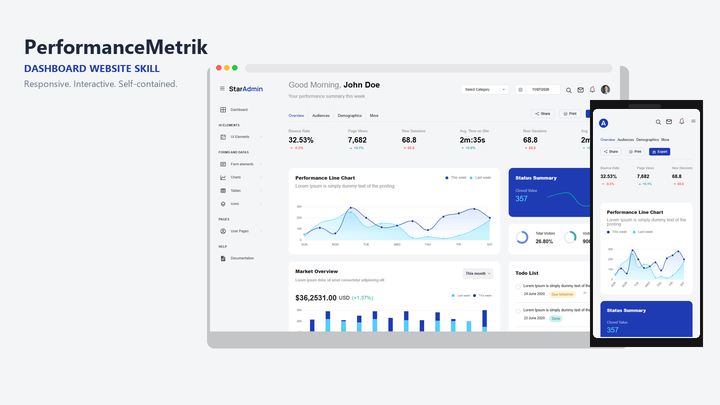
English Bootstrap admin console websites with a dark Raveno-style sidebar, Chart.js dashboards, Owl carousels, Tempus Dominus calendar, local Inter and Poppins, and no Google Fonts or marketplace footers at runtime.
100 downloadsv0.1 · 2026-11-07
Loading site preview…
Before you choose this pack
Delivery & requirements
Your inputs
Bring your audience, primary task, representative content and required brand assets. Follow any additional inputs in the pack instructions.
Included files
95 entries in the extracted inventory. SKILL.md is present. See the file list below for recorded contents.
Listed environment
Stack: not specified. Listed agents: Claude, Cursor, Codex. This is catalog compatibility information; exact host and dependency versions are not independently verified here.
Preview & output
A browsable site entry is recorded in the pack. It is a preview, not evidence of a connected backend or a successful production deployment.
Dependencies & costs
A complete dependency and external-cost declaration has not been verified for this listing. Check the pack instructions for required tools, model/API access and any rendering charges before running it.
Verification scope
Inventory extracted 2026-11-07. Extraction records do not certify runtime behavior, responsive layouts, accessibility or deployment readiness.
Recorded examples: SKILL.md · tokens.css · web-design-raveno-console.png. The inventory identifies files; inspect their instructions for actual behavior.
RavenoConsole is a self-contained English website skill for Bootstrap 5 admin and operations dashboards. It ships the Raveno-style HTML starter from Mobanwang demo [22995](https://www.mobanwang.com/mb/demo/22995/) — CSS, JavaScript, fonts, and icons — with Google Fonts links removed, Inter and Poppins bundled, external map iframes replaced by an offline placeholder, Mobanwang footer links removed, and Chart.js usage guarded when the library is missing.
What you can do
Generate a ready-to-open English admin console from the bundled starter: dashboard with Chart.js samples, KPI cards, recent orders, and an inline calendar; pages for buttons, typography, miscellaneous elements, widgets, forms, tables, and dedicated chart demos
Keep sidebar navigation, collapsible layout, spinner, back-to-top control, Waypoints-driven progress bars, Owl testimonial carousel, and Bootstrap 5 components wired as in `assets/js/master.js`
Run offline without `fonts.googleapis.com` or Mobanwang script or iframe assets in HTML
Recolor using `tokens.css` and `assets/css/master.css` variables (`--primary`, `--secondary`, and related)
Choose full, auto, or off motion via the generator (`--motion`), without adding a visible Motion UI
Who it’s for
Teams that need a dense admin brochure with charts and component galleries
Agencies packaging an audited static admin shell without a build step
Prototypes where sign-in and sign-up are layout-only (no real authentication)
How to use it
Install the pack into your agent skills folder, then start a new Agent session. Invoke by naming the skill or describing an English admin dashboard, for example:
`/web-design-raveno-console` help me generate a Bootstrap admin dashboard website
Use `web-design-raveno-console` to build an English operations console; brand it RavenoConsole
Follow the skill’s default prompt: `Use $web-design-raveno-console to create an English Bootstrap admin or operations dashboard website...`
Include the brand name and primary audience when you can. The agent should follow this skill’s Generate / Adapt steps and use the bundled starter.
Palette from pack tokens
Accent / #5B66EB
Secondary / #181D2E
Muted / #6C7293
Surface / #FFFFFF
Panel / #191C24
Success / #38EF7D
Danger / #E52D27
Warning / #FFD200
What’s in the pack
agents/
assets/
references/
scripts/
SKILL.md · 3.8 KB
tokens.css · 374 B
web-design-raveno-console.png · 68 KB
Install Web Design Raveno Console (web-design-raveno-console) with the CLI, or download the zip and place it by hand.
Install with AI
Let your AI handle the setup.
Recommended. Authorizes this machine, then writes Web Design Raveno Console into your agent skills folders.
1 · Login
npx skillux login
Opens the browser to authorize this machine.
2 · Install
npx skillux add web-design-raveno-console
Writes the pack into your agent skills folders.
3 · Update
npx skillux update
Pulls newer versions for packs you already installed.


 v0.1 · 2026-11-07