Free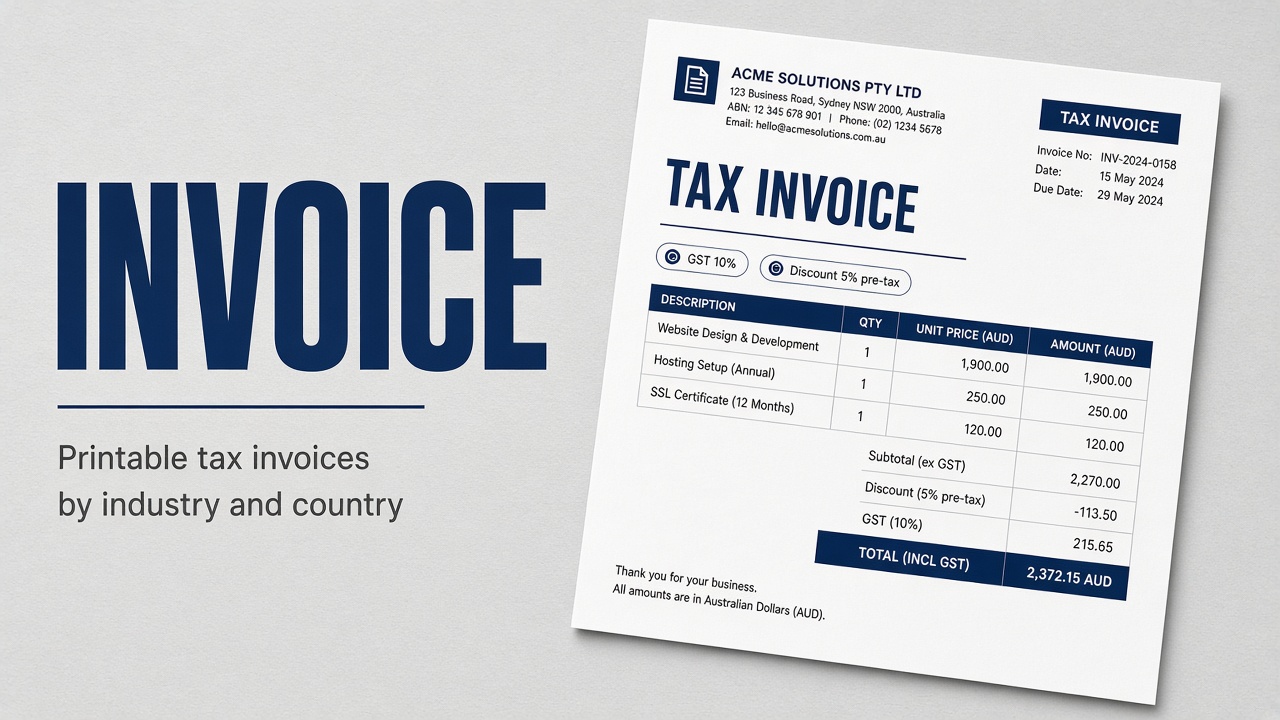
Freelance billing without a billing platform
Freelance billing is irregular by nature: milestones, day rates, deposits, and clients in more than one country. A general invoice generator built for payroll departments misses that shape. The Skillux Invoice skill runs inside Claude, Cursor, or Codex and generates a self-contained, printable invoice.html from your brief — with industry-aware fields and country tax profiles, and with your confirmed details reused from one invoice to the next.
Last updated 2026-11-07
From the live Skillux catalog
1 matching skill. Check each listing for its contents and license.
Put the skill to work
Your name or business name and contact details, the client's details, a unique invoice number, the issue date and the payment due date, a line-by-line description of the work with quantities and rates, the tax name and rate where it applies, the total and balance due, and how to pay you. Leave any of these off and the client's accounts department — or the client themselves — has a reason to pay late.
The skill's industry directions include billable hours, consulting, web design, software development, photography, and sole trader and contractor work, so line items can follow your model: hours against a rate, a fixed milestone, a day rate with dates, or a deposit followed by a balance. Describe the engagement in the brief instead of forcing it into a product SKU table.
Freelancers routinely invoice across borders. The skill carries 20+ country tax profiles — UK VAT, Australian GST, EU VAT, Canadian HST/GST, US sales tax, and more — and applies the matching currency, date format, and tax label. It confirms the rate and your registration status with you and never invents a tax ID, so a client in another country does not silently get your home-country defaults.
Most late payment is ambiguity, not malice: no due date on the document, no stated terms, no payment details. Put the due date and your payment terms in the brief so they appear on the invoice itself. When an invoice does go overdue, the companion guide to calculating invoice late fees shows how to work out what the delay costs and how to word the charge.
The Invoice skill is free. Open the hub page for the full walkthrough and output examples, install the complete pack into Claude, Cursor, or Codex, and keep SKILL.md together with its references and assets.
Give the skill your business details, tax profile, and payment details, plus this job's client, invoice number, dates, and line items. It asks about anything ambiguous — industry, tax variant, discount timing — instead of guessing, and marks an incomplete invoice as a DRAFT with a questions file.
Check the arithmetic, identifiers, and due date on the generated invoice.html, then Print → PDF from the browser or send the file as it is. For the next invoice, repeat the brief with the new number, dates, and items — your confirmed details carry over.
Hosted invoicing apps keep your billing inside their editor, ledger, and payment rails, usually for a monthly fee. The Invoice skill generates a local, self-contained HTML invoice inside the coding agent you already use. You own and can edit, version, and regenerate the file. It does not send invoices, collect payment, or replace your accounting records.
No. An invoice is a request for payment, issued when work is delivered or a milestone is reached; a receipt is proof that payment already happened, issued afterwards. Freelancers need the invoice first — it is the document that starts the payment clock. This page and the Invoice skill cover invoices; if a client asks for proof of payment after paying, acknowledge it against the paid invoice number so the two documents line up.
Yes. Choose the country profile that matches the engagement and confirm the tax treatment with the skill: it applies the profile's currency, date format, and tax label (GST, VAT, HST, and others) and asks about variants such as VAT-registered versus not. Catalog defaults are suggestions, not tax advice — confirm your own obligations for cross-border work.
The Invoice skill itself is free on Skillux. You still need access to a compatible agent — Claude, Cursor, or Codex — and any account or usage costs for that tool are separate.